
FlashID Review 2026: Anti-Detect Browser for Managing Multiple Accounts at Scale

In today’s hyperconnected world, cross-border e-commerce and social media marketing have become essential growth drivers for modern businesses. However, global teams often face serious challenges such as:
-
Complex and risky multi-account management
-
Expensive physical device setups with limited scalability
-
Frequent account suspensions disrupting operations
-
Repetitive manual tasks that drain productivity
-
Fragmented tools (browser + proxy + device) leading to inconsistent environments and increased detection risk
FlashID was built to solve these problems. It provides an integrated, secure, cloud-based environment that unifies browser and device layers into one system, empowers teams to manage multiple accounts, automate workflows, and scale operations across platforms – safely and efficiently.
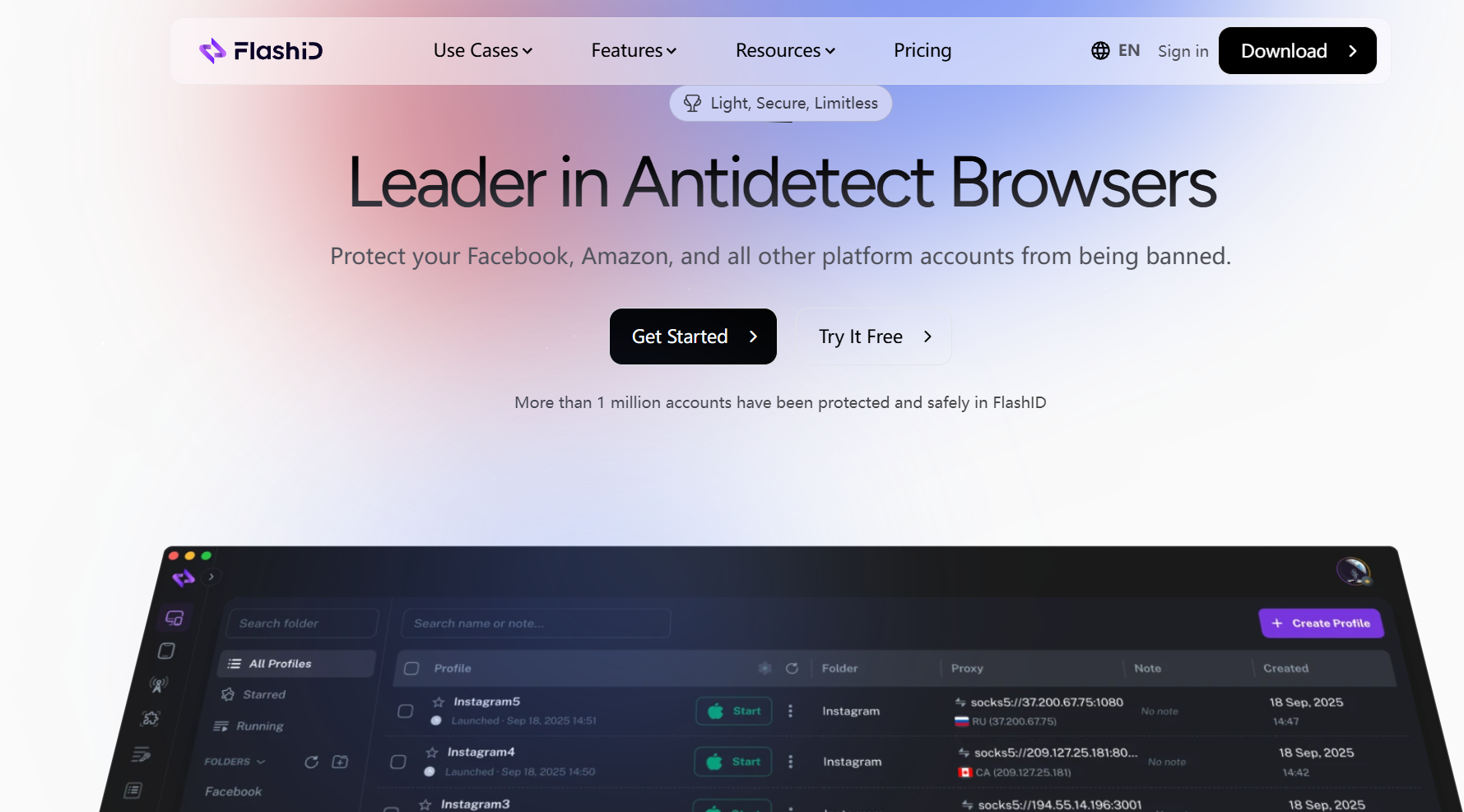
What Makes FlashID Anti-Detection Browser Different
FlashID is more than just an anti-detect browser – it is a unified environment system designed for multi-account operations at scale.
It combines cloud phone infrastructure, advanced anti-detect browser technology, and automation into a single integrated ecosystem. Now, when paired with the Dexodata network, FlashID keeps the proxy IP location, browser fingerprint, and device environment aligned, supporting more stable and reliable multi-account management. This alignment is critical for reducing detection signals and maintaining long-term account stability.
Key Features
Cloud Phone Environment
Operate multiple virtual mobile devices hosted on secure cloud servers. Each device runs independently, ensuring full isolation and preventing device fingerprint tracking.
Advanced Anti-Detect Browser
Every browser profile creates a unique digital fingerprint. You can log in to different accounts on a single computer without triggering association or bans.
Automation and RPA Integration
FlashID includes built-in automation tools to handle repetitive actions like logins, form submissions, content posting, and data scraping, allowing your team to focus on high-value work.
Open API and Integrations
Developers can connect FlashID with internal systems, CRMs, or RPA bots to create custom workflows and large-scale automation.
Workspace Management
FlashID Workspace allows teams to manage different projects, clients, or business units in separate workspaces. Members can be assigned different roles and permissions, helping teams control access to browser profiles, cloud phones, account data, and other resources more safely.
Profile Templates
FlashID Profile Templates help users save and reuse common browser and mobile environment settings. Teams can quickly create new profiles with consistent fingerprint configurations, reducing repetitive setup work and improving operational efficiency.
Window Sync
FlashID Window Sync lets users synchronize actions across multiple browser profiles or cloud phone instances, including clicks, typing, scrolling, and other repeated operations. This helps teams manage multiple accounts more efficiently while keeping each environment isolated.
Unified Anti-Detection Ecosystem
By combining encrypted browser profiles, isolated cloud devices, and high-quality global proxies, everything works as one unified environment – not a combination of separate tools.
FlashID vs Other Antidetect Browser Solutions (2026)
Antidetect Browser Comparison
| Feature | FlashID | GoLogin | Multilogin | Dolphin Anty |
|---|---|---|---|---|
| Positioning | All-in-one antidetect browser + cloud phone platform | Easy-to-use antidetect browser | Advanced antidetect platform | Browser-first antidetect browser |
| Core Environment | Browser profiles + Android cloud phones | Browser profiles + Cloud Android | Browser profiles + Android cloud phones | Browser profiles |
| Fingerprint Control | Detailed fingerprint settings | Auto + manual settings | Advanced configuration | Flexible fingerprint settings |
| Proxy Support | Built-in + custom proxies | Built-in + custom proxies | Built-in residential proxies | Mainly custom proxy workflows |
| Mobile Workflow | Native cloud phone support | Cloud Android available | Android cloud phones | Less central |
| Account Management | Account Center + 2FA + profile binding | Notes and folders | Tags and notes | Tags, notes, folders, statuses |
| Team Collaboration | Workspace + roles + permissions | Team sharing | Team permissions | Strong team controls |
| Profile Templates | Built-in templates | Basic reuse tools | Less central | Less central |
| Window Sync | Browser + cloud phone sync | Action Synchronizer | More automation-focused | Browser synchronizer |
| Batch Management | Profiles, proxies, accounts, cloud phones | Mass profile actions | Bulk profile management | Strong mass actions |
| Automation | API + browser + cloud phone automation | API + SDK + cloud browser | API + Selenium/Playwright/Puppeteer | API + synchronizer + scenario tools |
| API Support | Included for advanced workflows | Developer-friendly | Advanced automation support | Local / remote API |
| Best For | Teams managing both web and mobile accounts | Beginners and general multi-account users | Advanced teams with larger budgets | Browser-first account operation teams |
In most cases, the key difference comes down to browser-only workflows vs browser + mobile account operations. FlashID is better suited for teams that want browser profiles, cloud phones, proxies, account management, sync tools, and team collaboration in one platform. GoLogin is easier for general users, Multilogin fits more advanced and budget-ready teams, while Dolphin Anty is stronger for browser-first profile operations.
Typical Use Cases
All scenarios benefit from consistent browser + proxy + device environments, which significantly reduces account risk.
Cross-Border E-Commerce Operators
Run and manage multiple stores across markets such as Amazon, eBay, Shopee, or Lazada. FlashID helps maintain account security while automating everyday operations like product listings and inventory updates.
Paired with Dexodata network’s residential proxies for long-term, stable store operations.
Global Marketing and Social Media Teams
Safely handle multiple ad or content accounts across Facebook, Instagram, and TikTok, avoiding detection and maximizing reach.
Use Dexodata network’s rotating proxies for safer account scaling and geo-based targeting.
Advertising Agencies and Affiliates
Operate multiple ad accounts in isolated environments for campaign testing and optimization, while maintaining consistent performance and ROI. Combine Dexodata network’s datacenter proxies + automation for high-efficiency campaign testing.
Product Development and Quality Testing
Quickly deploy separate test environments without additional hardware or internal interference, enabling faster iteration and development.
How to Configure in FlashID?
Setting up FlashID only takes a few minutes.
Follow these steps to start creating your isolated environments:
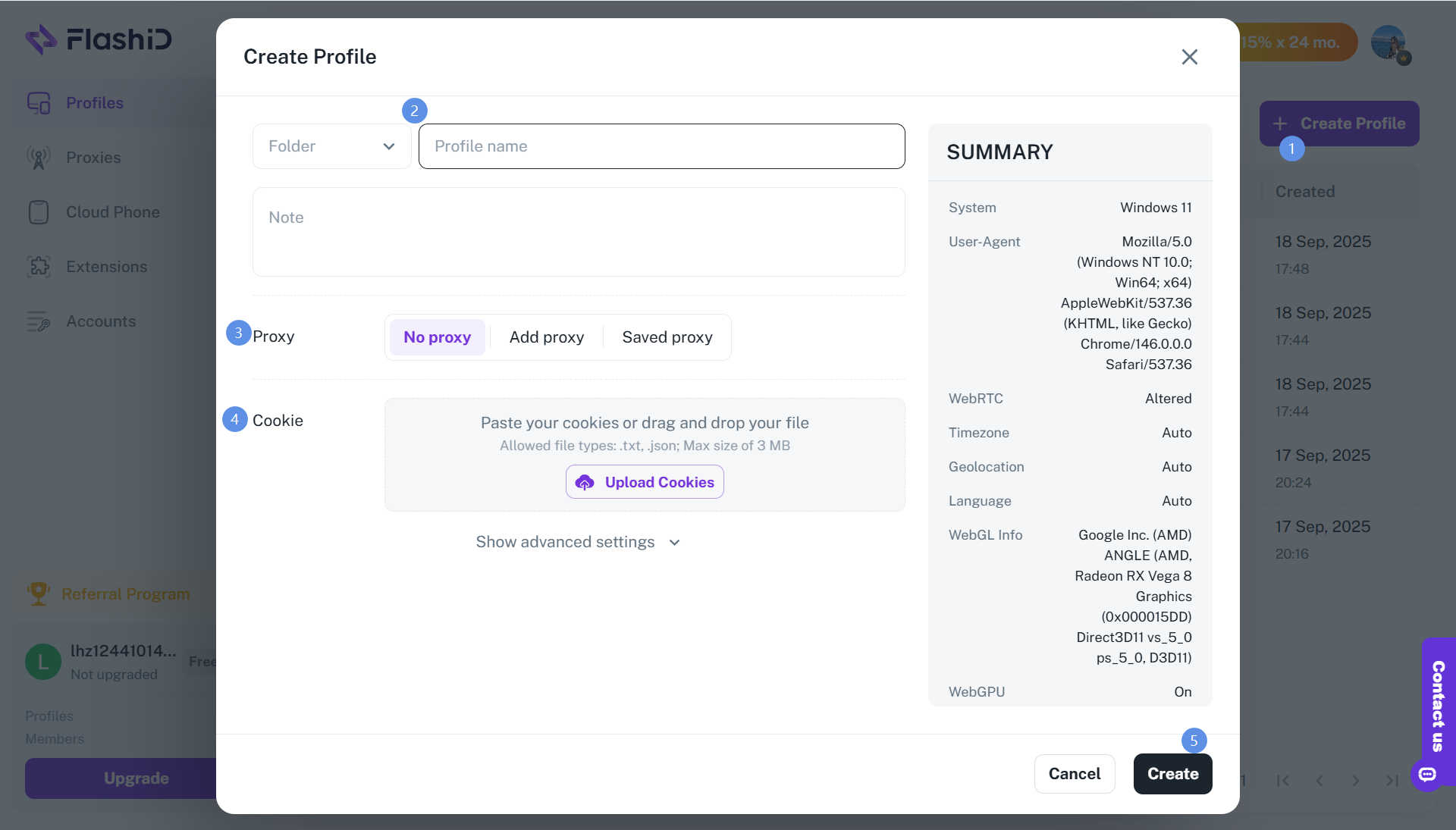
Create a Profile
In your FlashID dashboard, click “Create Profile.”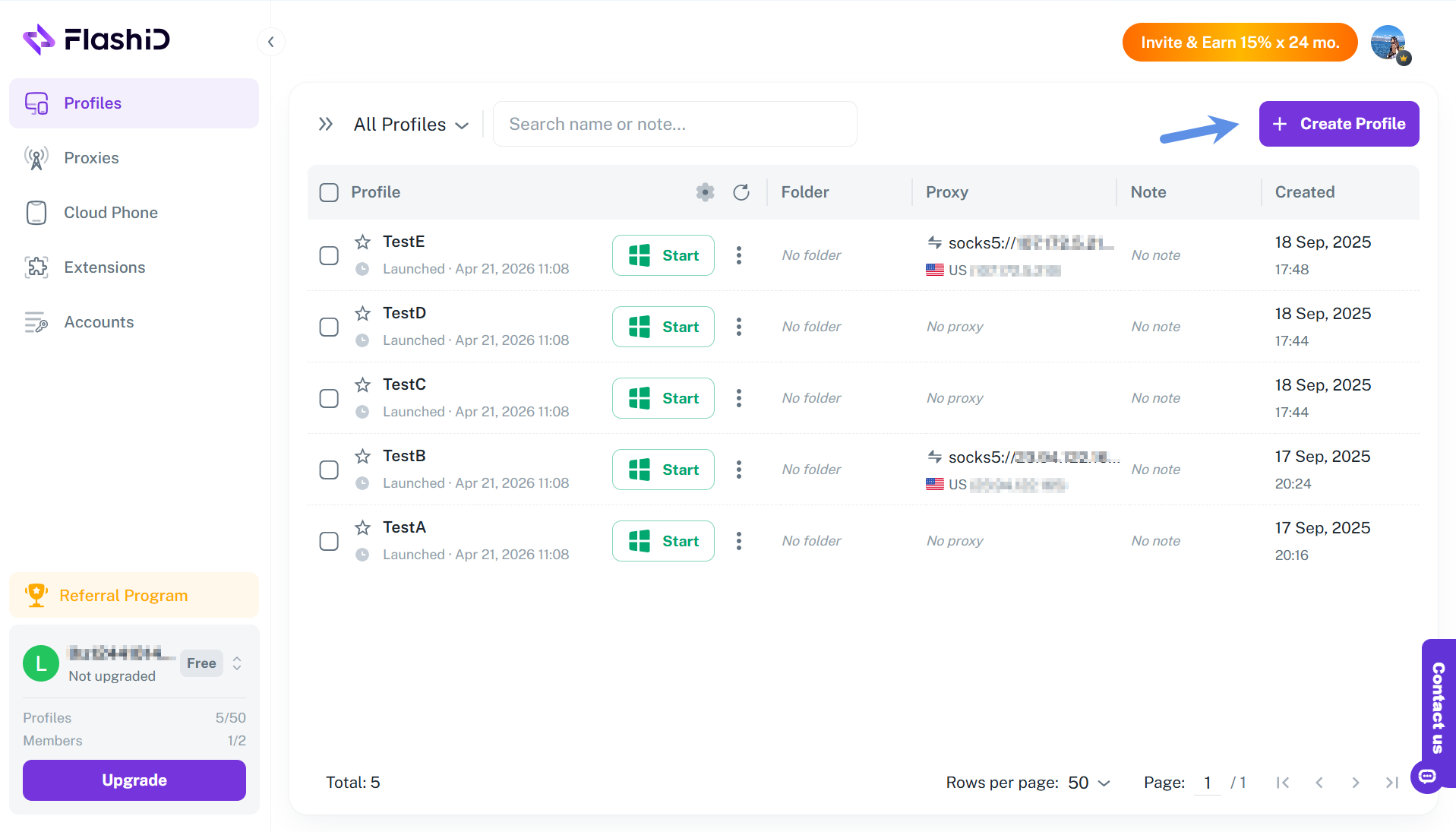
Enter a name and configure fingerprint parameters. Each profile generates a unique browser fingerprint and serves as the foundation of an independent environment.
Add a Proxy
How to add a Proxy into the FlashID? Let's use the Dexodata network as an example.
Dexodata network is an advanced proxy ecosystem offering residential, mobile, and datacenter proxies with precise geotargeting by country, region, city, and ISP. It supports flexible IP rotation and API integration, along with a pay-as-you-go tokenized balance system and a built-in firewall with domain allowlists and blocklists for more flexible proxy management. The Dexodata network uses dynamic IPs, providing access to a flexible, continuously refreshed IP pool.
Dexodata network pairs seamlessly with FlashID by helping maintain a consistent IP location alongside matching browser fingerprints and device environments for more consistent account management. To set up Dexodata network in FlashID, follow these steps:
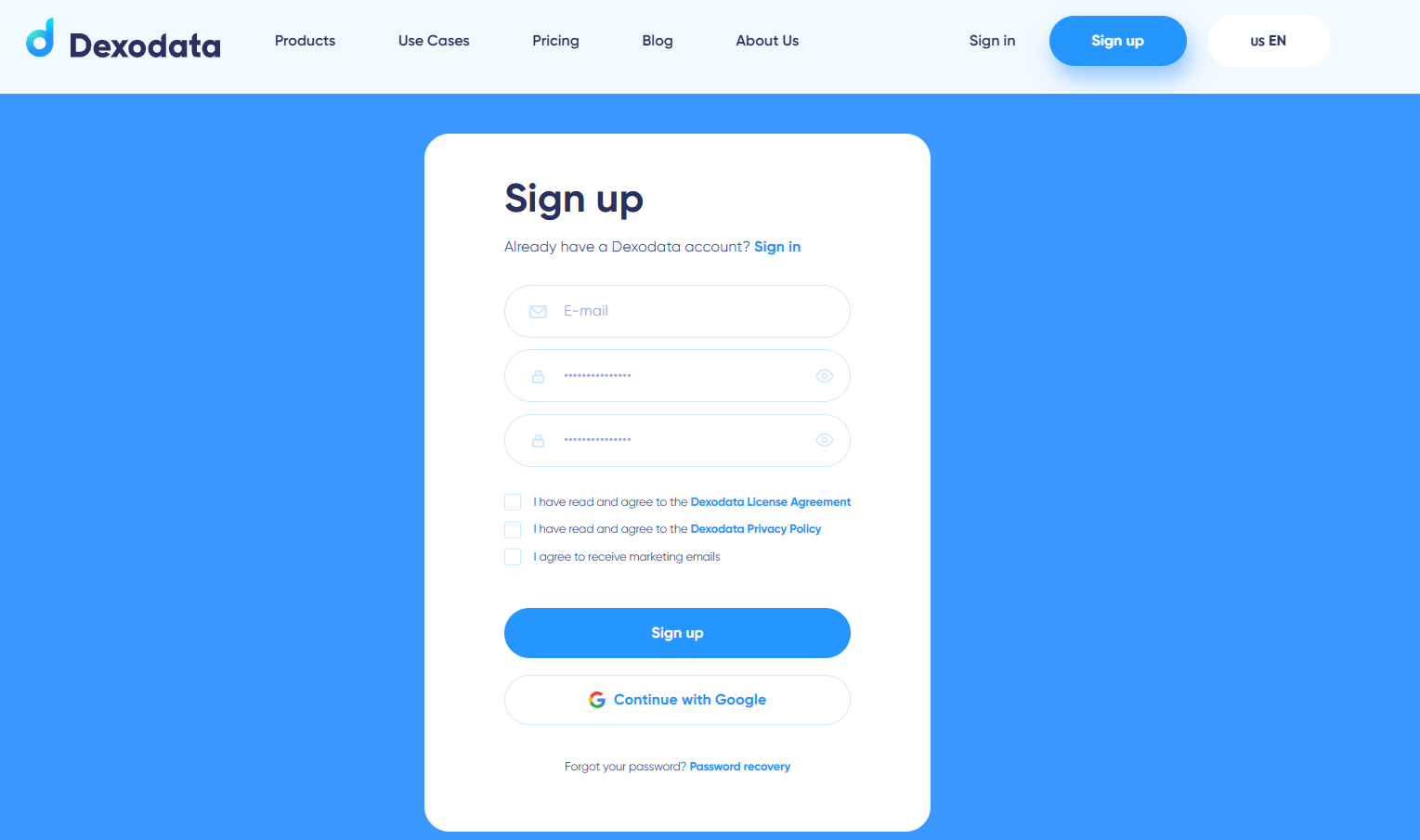
Step 1: Set up your Dexodata network account
Go to the Dexodata network website and create or log in to your account.
Choose your proxy type (residential, mobile, and datacenter dynamic proxies).
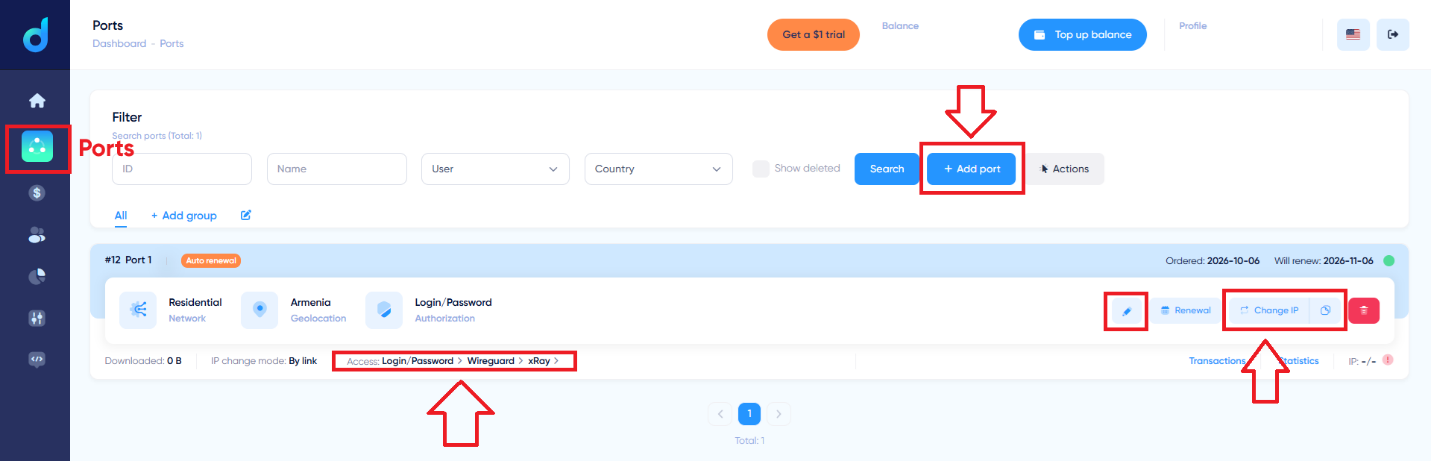
Obtain your proxy credentials: IP/Host, Port, Username, and Password.
Step 2: Add your Dexodata network to FlashID
Go to the FlashID’s Proxy Settings panel, click “Add Proxy”.
-
Enter your Dexodata network’s username and password if required.
Click “Test” to verify the connection and then save it.
Step3: Launch and Start Working
Click “Start” to start your profiles. A new browser window will appear with its own fingerprint, IP address, and cache space.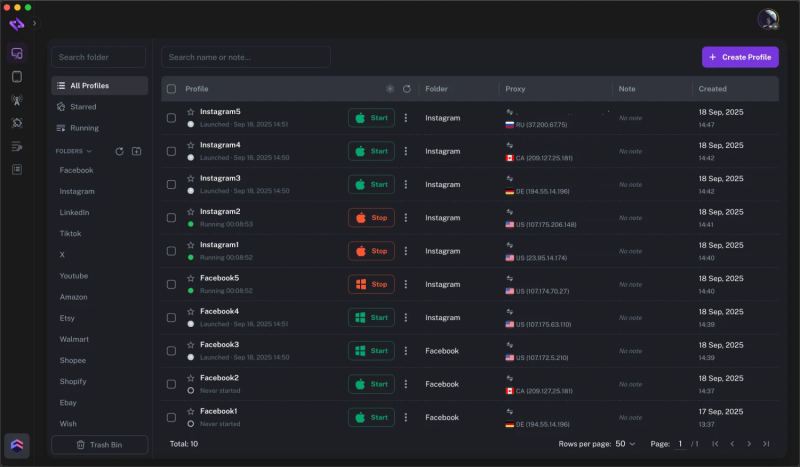
You can now safely log in to your accounts without worrying about association or detection.
Why Choose FlashID
FlashID is built on a full-stack environment architecture that combines browser, proxy, and device layers into a single unified system – delivering higher success rates compared to standalone tools.
At the core, FlashID uses kernel-level rendering simulation to naturally generate hardware fingerprints across Canvas, WebGL, and AudioContext, creating realistic digital identities that can pass even advanced detection systems. Each browser profile and cloud phone operates as a fully independent environment, with distinct device IDs, storage, and processes, ensuring complete isolation and eliminating cross-contamination even at scale.
Beyond isolation, FlashID enables efficient team collaboration through role-based access control and operation logs, giving organizations full visibility and control over multi-account operations.
This integrated architecture translates directly into business value:
-
Security: A fully aligned browser + proxy + device environment significantly reduces detection risk
-
Scalability: Instantly create and manage environments as your business grows
-
Efficiency: Built-in automation reduces repetitive tasks and improves productivity
-
Cost-Effectiveness: Replace expensive hardware setups with flexible cloud infrastructure
-
Reliability: A unified system ensures stable, long-term account performance across global operations
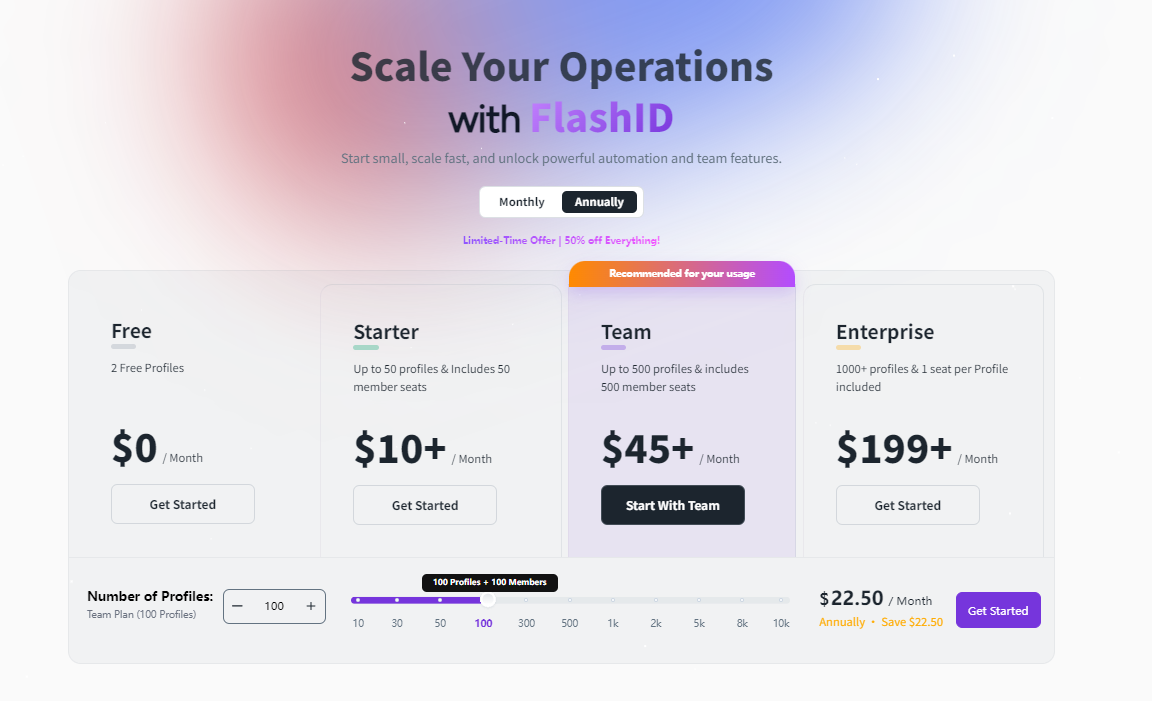
Pricing / Plans (USD)
Current official promotion: selected plans at 50% off (check the official site for live discounts)
Official site for live discounts and offers: FlashID Pricing
Final Thoughts
In the global digital economy, the real challenge is no longer just managing accounts – but managing consistent environments at scale. FlashID empowers international teams to operate smarter, safer, and faster – bringing fragmented tools together in a unified browser environment for safer and more scalable operations.
Start using FlashID today to take control of your multi-account environments and accelerate your cross-border business growth.


