
How Cloaking Works in 2026: Traffic Filtering, Clean Proxies, and What Actually Protects a Campaign

Ad platform moderation has gotten sharper every year. Reviewers, automated scam detectors, and competitor spy tools now check more than the ad copy – they follow the link, look at the landing page, and evaluate the visitor pattern behind every click. For advertisers running geo-targeted campaigns, verifying ad placements, or protecting a landing page from scrapers and bots, that means traffic filtering and network quality now matter as much as the creative itself.
This is a practical look at how cloaking actually works, why the proxy layer behind it matters just as much as the filtering logic, and how to set both up correctly.
Dexodata is a global proxy ecosystem built on a fully opt-in network, with rigorous KYC and AML compliance and extensive IP coverage worldwide.
Test It Before You Commit
Before building anything out, it is worth testing the tools involved rather than committing to a paid plan blind. Dexodata gives every new account a free $1 balance and a 25% bonus on the first deposit, so its residential, mobile, and datacenter proxies can be tried against real conditions before committing a larger budget. On the filtering side, Cloaking.House offers a 7-day free trial with no feature limits, enough time to run an actual campaign through a flow and see how the filters behave on real traffic.
Testing both pieces together, before scaling spend, is the simplest way to catch a mismatched setting before it costs anything.
What Cloaking Actually Does
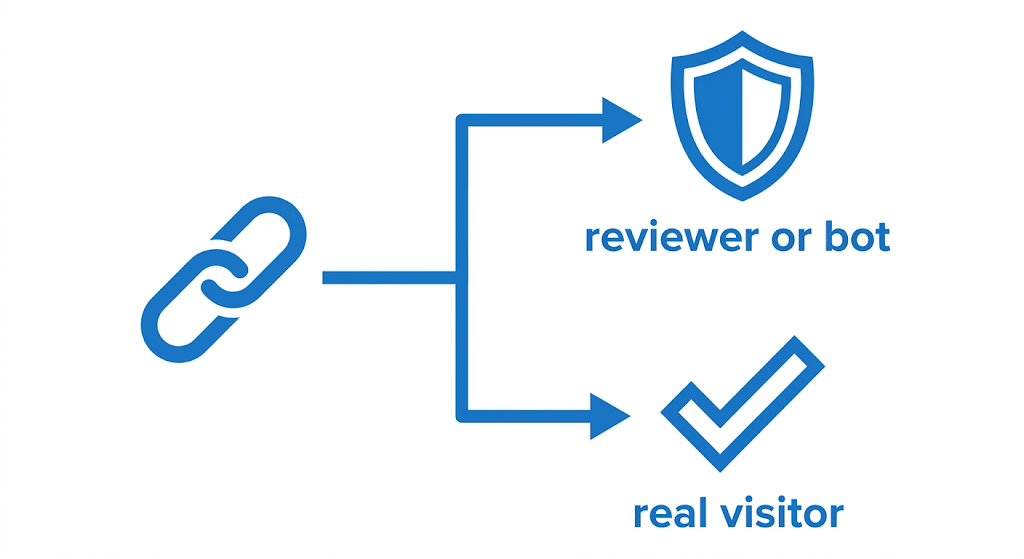
Cloaking splits incoming traffic into two outcomes based on who is behind the click:
-
A real visitor from the targeted region reaches the actual offer or landing page.
-
A moderator, bot, scam detector, or competitor sees a compliant page that passes review without raising questions.
The decision is made using a combination of signals: IP reputation, VPN or proxy detection, geo, device, browser, language, and referrer. No single signal decides the outcome – it is the pattern across all of them that determines which page a visitor sees.
Why the Proxy Layer Matters as Much as the Filter Logic
A well-configured flow can still misfire if the traffic behind it does not match what the filters expect. Geo, language, and the visitor's network origin all need to line up – a mismatch between them is one of the most common reasons a legitimate-looking setup still gets flagged.
This is where the choice of proxy type actually matters, not as a speed question, but as a consistency one:
-
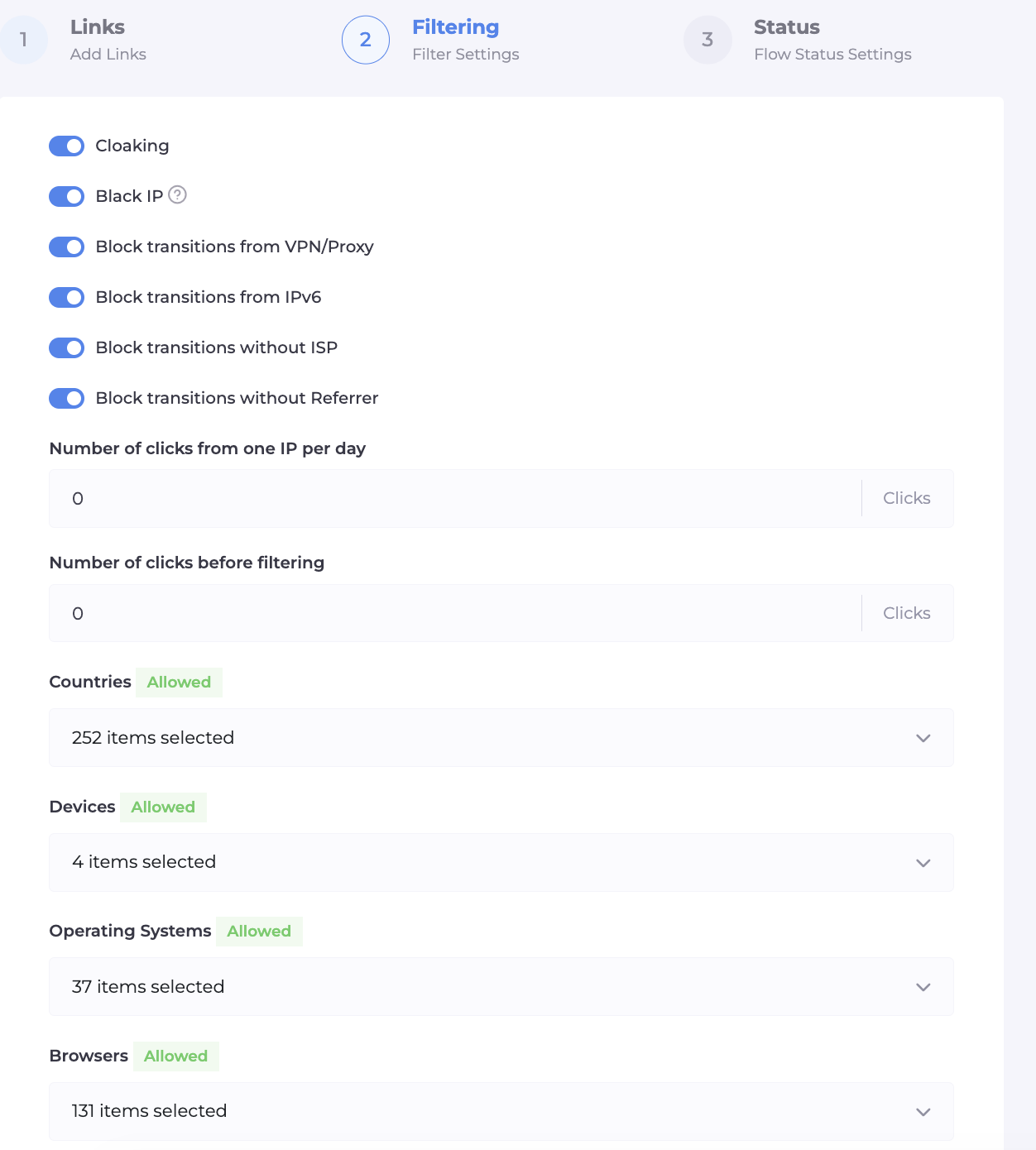
Residential proxies route through real household connections, which makes them a closer match to how genuine visitors actually reach a site.
-
Mobile proxies reflect real mobile carrier connections, useful when a campaign specifically targets mobile audiences.
-
Datacenter proxies come from hosting providers rather than real households, and are more likely to draw extra scrutiny simply because of where the IP originates.
-
ISP-targeted proxies let you choose a specific provider for a given region, which is useful when a campaign needs to match a particular local ISP footprint rather than a generic country-level geo.
The point of picking the right type is not raw performance – it is making sure the network signal a filter sees actually matches the audience the campaign is meant to reach.
The Dexodata Network: Matching Proxies to the Campaign
This is where the network side of the setup comes in. Dexodata provides access to residential, mobile, and datacenter proxies, along with ISP-targeted options for provider-level targeting, with extensive IP coverage worldwide and geo targeting down to country, region, and city level.
A few things about how the Dexodata network is built matter directly for anyone running filtered or geo-sensitive campaigns:
-
Ethically sourced connections. Dexodata partners only with users who explicitly opt in to share bandwidth, and the network complies with KYC and AML standards – relevant for anyone who needs to be able to explain where their traffic is actually coming from.
-
Rotating and city-level geo targeting. IPs can be selected down to a specific city, and rotation can be configured per session, which matters when a campaign's filters expect consistent, region-accurate traffic rather than a broad country-level match.
-
Provider-level targeting through ISP-specific proxies. For campaigns where the filtering logic checks that a visitor's ISP matches the expected regional pattern, being able to select a specific provider rather than a generic pool of IPs closes a gap that a country-only geo filter cannot.
-
API access. Proxy rotation, session management, and usage monitoring can be built directly into an existing campaign pipeline rather than handled manually for every flow.
-
Pay-as-you-go pricing. Budget can scale with actual campaign volume instead of being locked into a fixed monthly commitment before a setup has even been tested.
None of this replaces traffic filtering – it is the layer underneath it. A flow with well-tuned filters still depends on the traffic actually reaching it looking like what a real visitor would produce, and that is a network-layer problem, not a filtering one.
Setting Up the Filtering Side
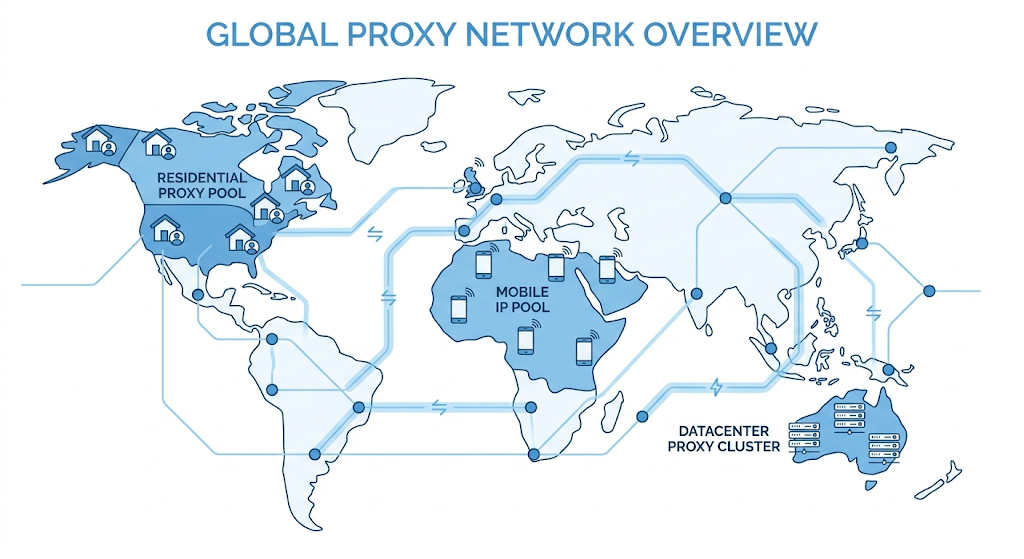
Once the network layer is sorted, the filtering configuration itself comes down to a few consistent steps, regardless of which platform the campaign runs on:
-
Build the compliant landing page. It needs to be topically relevant to the ad, load quickly, and include standard sections like a privacy policy and contact information – a thin or generic page is often more suspicious than no filtering at all.
-
Set the filtering rules. IP reputation, VPN and proxy detection, geo, device, browser, language, and referrer should all be configured to match the actual campaign, not left on default settings.
-
Whitelist your own IP during setup so the real offer page can be checked directly before traffic goes live.
-
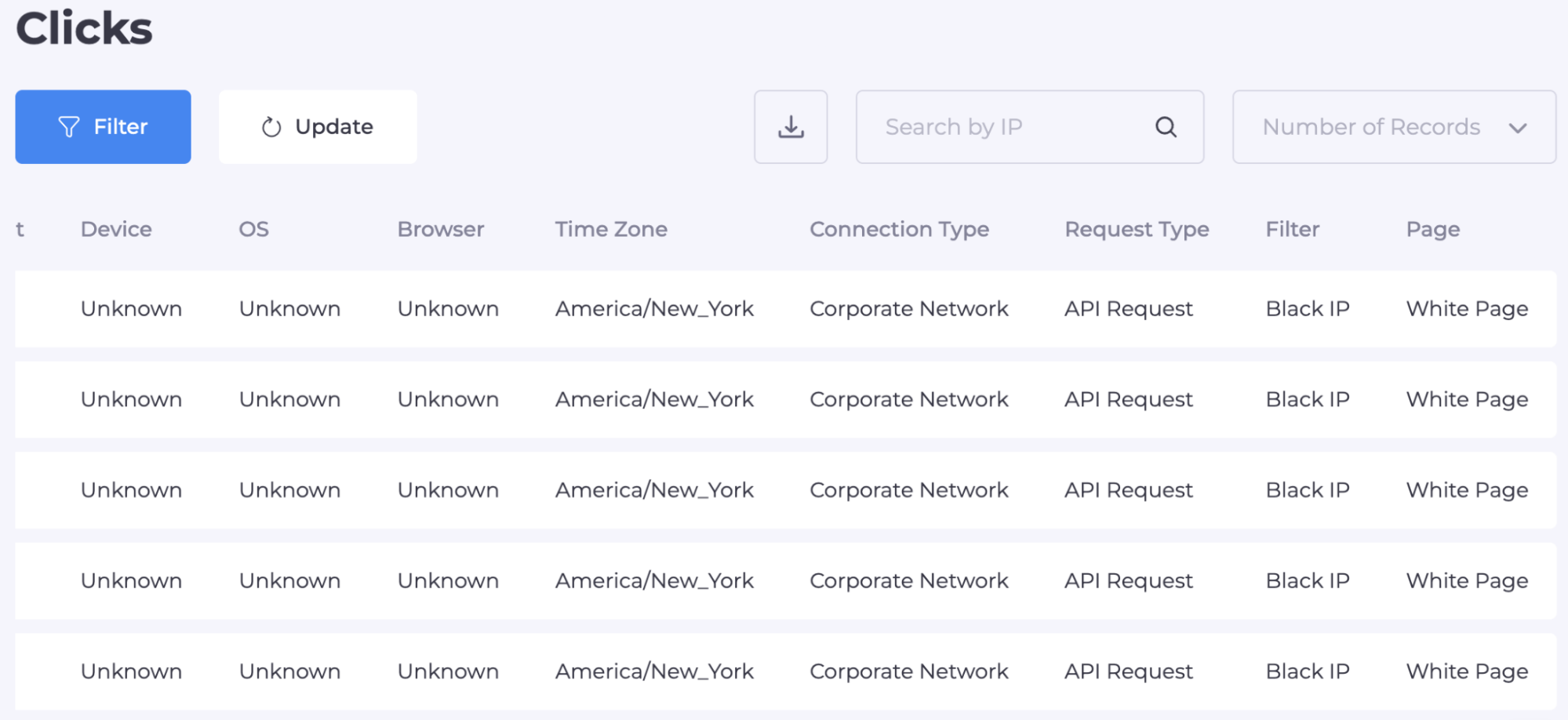
Review the click log after launch. Real visitors landing on the compliant page instead of the offer usually point to one filter tuned too tightly, not a broken setup overall.
Cloaking.House handles this filtering layer with an AI-generated compliant page builder, granular filter controls, and a real-time click log that separates flagged visits from real ones – the piece that sits directly on top of whatever proxy network is feeding the campaign its traffic.
Common Mistakes
- Treating the proxy and the filter as unrelated choices. A residential proxy paired with filters tuned for datacenter traffic, or the reverse, creates exactly the kind of mismatch that automated review systems are built to catch.
- Skipping the geo-to-ISP consistency check. A country-level geo match is not the same as a provider-level match – for campaigns where that distinction matters, provider-level targeting closes the gap.
- Reusing the same compliant page across multiple campaigns. A page that has already been seen once is far easier to flag the second time around.
Conclusion
A cloaking setup is only as reliable as the traffic feeding it. Filtering logic decides who sees what, but the proxy layer behind it decides whether that traffic actually looks like what a real visitor from the target region would produce. Getting both right – a network that matches the campaign's geo and audience, paired with filtering tuned to the platform – is what keeps a setup holding up under real scrutiny instead of just looking good on paper.
Readers testing this setup can get an extra discount on the filtering side: the promo code DEXODATA takes 30% off any Cloaking.House plan, with no limit on how many times it can be used.


