
How to Use CaptchaAI with Proxies for Reliable Web Data Collection
Modern web data workflows involve more than sending requests and parsing responses. Websites may load content dynamically, apply location-based rules, limit repeated traffic, or present CAPTCHA challenges when a request requires additional verification.
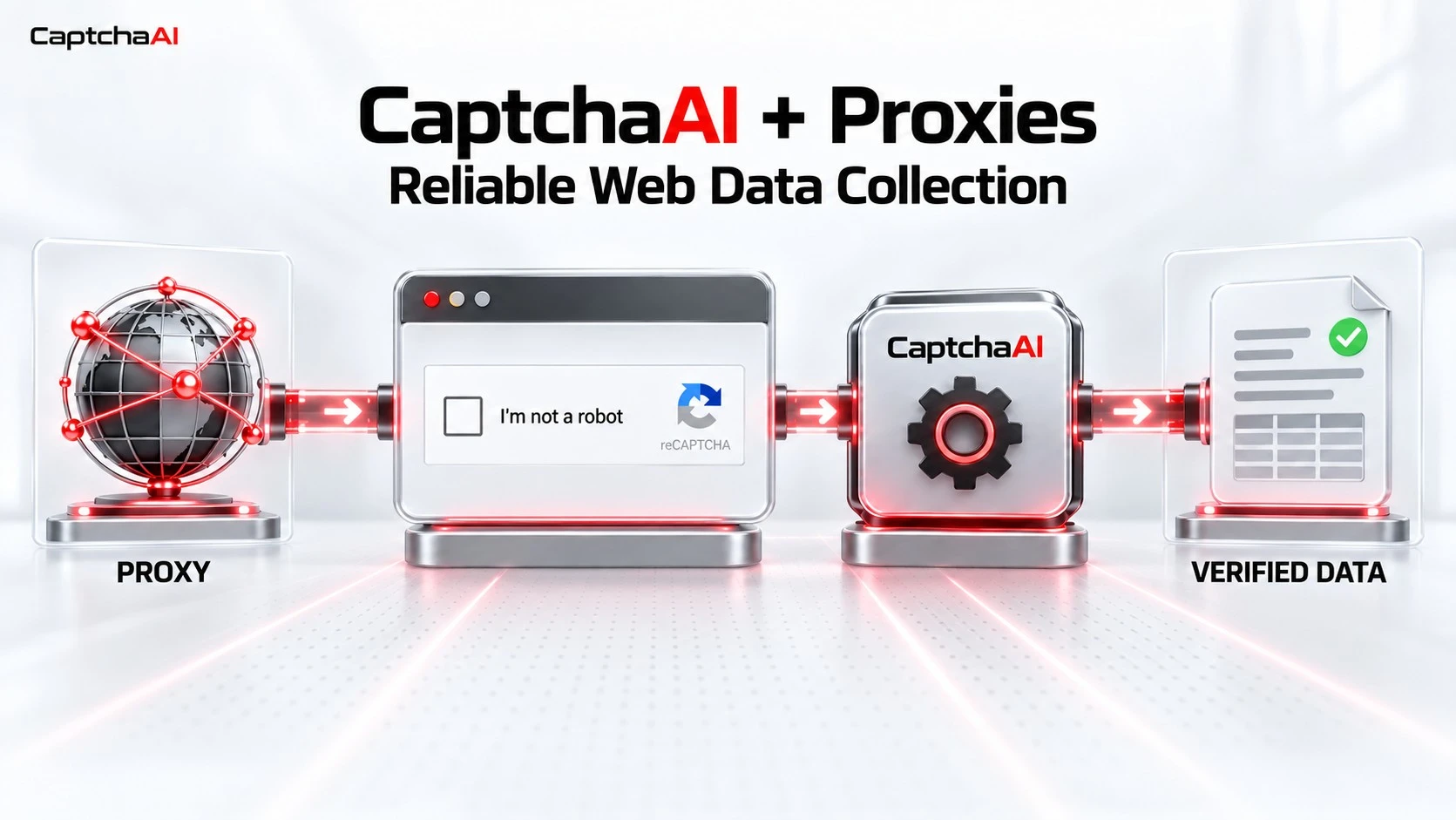
Proxies and CAPTCHA solvers address different parts of this process. A proxy controls where a request comes from, while a CAPTCHA solver handles the verification challenge that may appear during the session.
Used together correctly, they can make authorized data collection, web testing, SEO monitoring, price comparison, and market research workflows more consistent and easier to scale. This guide explains how CaptchaAI works alongside proxies, why session consistency matters, and how to avoid common configuration mistakes.
If CAPTCHA challenges are interrupting an authorized proxy-based workflow, CaptchaAI provides the verification layer needed to keep the process moving.
What Does a CAPTCHA Solver Do?
A CAPTCHA solver handles verification challenges that can interrupt an otherwise valid automated workflow.
CaptchaAI is an AI-powered CAPTCHA recognition service designed for developers, businesses, and automation teams. It supports a broad range of CAPTCHA types, including:
-
reCAPTCHA v2, v3, Invisible, Callback, and Enterprise
-
Cloudflare Turnstile and Cloudflare Challenge
-
GeeTest v3
-
Friendly Captcha
-
CaptchaFox
-
Lemin
-
BLS and Grid Image CAPTCHA
-
Solve Media
-
More than 27,500 image CAPTCHAs
CaptchaAI can be integrated through its direct API, CaptchaAI Emulator, Chrome extension, custom 2Captcha server configuration, or compatible third-party software.
It can also be used with common development and browser-automation tools such as Python, Node.js, Selenium, Playwright, and Puppeteer.
What Does a Proxy Do?
A proxy routes a request through another IP address before it reaches the target website. Depending on the project, this can help teams:
-
Test content from different countries or regions
-
Distribute authorized requests across multiple IP addresses
-
Maintain location-specific sessions
-
Monitor localized search results
-
Verify ads and website availability
-
Collect publicly available data at scale
Dexodata provides residential, mobile, and datacenter proxies for different data-gathering requirements.
Residential proxies use IP addresses associated with household internet connections. They are useful when a workflow needs traffic that reflects regular consumer networks.
Mobile proxies route requests through mobile carrier connections and can support mobile-focused testing or workflows that require mobile network IPs.
Datacenter proxies are generally suitable for structured tasks including website availability and speed testing, brand protection and large-scale public data collection.
Choosing between them depends on the target website, location requirements, session length, traffic volume, and permitted use case.
Why a Proxy Cannot Replace CaptchaAI
A high-quality proxy may reduce problems associated with unsuitable IP reputation, incorrect location, or excessive traffic from one address. However, it does not solve a CAPTCHA challenge after one has been presented.
Likewise, CaptchaAI does not replace the proxy layer responsible for changing IP addresses, managing geolocation, or controlling proxy rotation.
The two tools have separate responsibilities:
-
The proxy manages the connection: IP address, location, network type, and session routing.
-
CaptchaAI manages the challenge: submitting the required CAPTCHA data and returning the response needed by the application.
Treating them as separate components makes the workflow easier to configure, monitor, and troubleshoot.
How CaptchaAI and Proxies Work Together
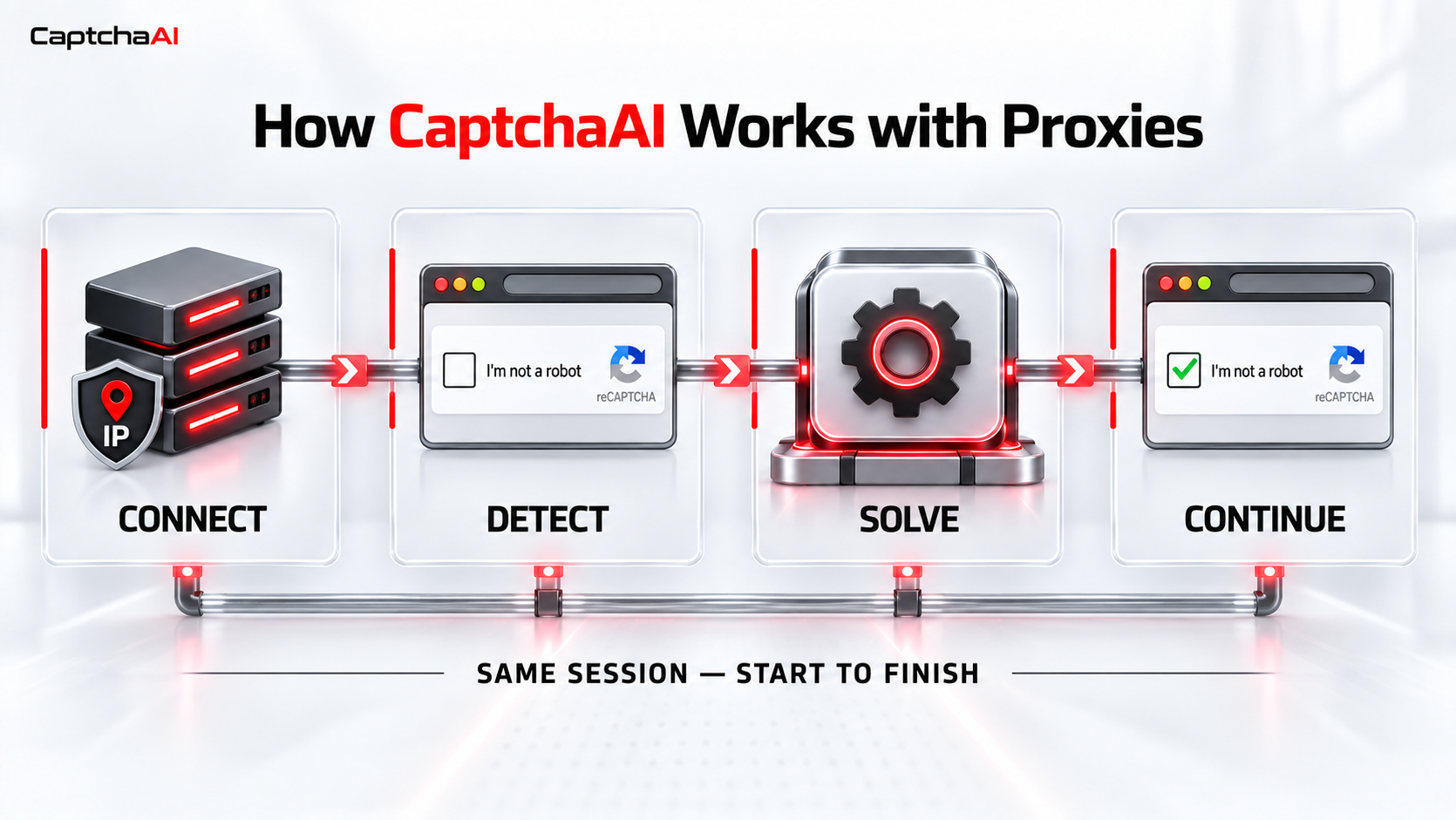
A typical proxy and CAPTCHA-solving workflow follows these steps:
-
The application opens a connection through the selected proxy.
-
The target page loads using that proxy IP and the current browser session.
-
If a supported CAPTCHA appears, the application collects the required parameters.
-
The CAPTCHA task is submitted to CaptchaAI.
-
CaptchaAI processes the task and returns the appropriate response.
-
The application applies that response within the same active session.
-
The authorized workflow continues after successful verification.
The exact parameters depend on the CAPTCHA type. They may include the website URL, site key, action, minimum score, proxy details, cookies, or User-Agent.
Developers should always follow the requirements in the relevant CaptchaAI API documentation.
Why Session Consistency Matters
Many CAPTCHA-solving problems are not caused by the solver itself. They happen because the CAPTCHA response is used in a different environment from the one in which the challenge was created.
For proxy-based workflows, consistency may need to be maintained across:
-
Proxy IP address
-
Proxy protocol
-
Browser session
-
Cookies
-
User-Agent
-
Website URL
-
CAPTCHA-specific parameters
For example, rotating to another proxy while a CAPTCHA task is being processed may cause the returned response to no longer match the original session.
For CAPTCHA types that depend on proxy or session consistency, keep the same proxy, browser session, cookies, and User-Agent active from challenge creation until the returned response is applied.
Choosing the Right Proxy for a CaptchaAI Workflow
There is no single proxy type that fits every project. The correct choice depends on how the target website handles traffic, location, and session continuity.
Residential Proxies
Residential proxies may be appropriate for location-sensitive research, localized website testing, e-commerce monitoring, and workflows that need regular consumer-network IP addresses.
When a supported CAPTCHA appears, CaptchaAI can handle the verification task while the application maintains the same residential proxy and active session.
Mobile Proxies
Mobile proxies can be useful for testing mobile experiences, mobile search results, applications, or content delivered according to carrier networks.
For CAPTCHA-enabled workflows, the mobile proxy, cookies, User-Agent, and relevant challenge parameters should remain consistent until the CaptchaAI response has been applied.
Datacenter Proxies
Datacenter proxies may be a practical choice for high-volume operations where the target allows them and residential network characteristics are unnecessary.
They can be paired with CaptchaAI in authorized workflows, provided that request rates, concurrency, and session handling are configured correctly.
Before selecting a proxy, consider:
-
Required country, city, or network
-
Expected session duration
-
Whether the IP must remain stable
-
Target website requirements
-
Request volume and concurrency
-
Budget
-
Applicable terms, permissions, and data regulations
The most expensive proxy is not automatically the most suitable one. The correct choice is the one that matches the technical and compliance requirements of the project.
Where CaptchaAI and Proxies Can Be Used Together
A properly configured proxy and CAPTCHA-solving stack can support several legitimate business workflows.
Market Research and Price Monitoring
Businesses can collect publicly available pricing, inventory, and product information from different markets. Proxies provide the required locations, while CaptchaAI handles supported verification challenges that appear during authorized sessions.
SEO and SERP Monitoring
SEO teams may need to check search results, website availability, or localized pages across multiple regions. Location-matched proxies help deliver the correct regional view, while CaptchaAI can reduce interruptions caused by supported CAPTCHA challenges during permitted monitoring.
Website and Application Testing
Developers can test how their websites or applications behave across different networks and locations. CaptchaAI can also support authorized verification-flow testing without requiring repeated manual input.
Ad Verification
Marketing and compliance teams can check whether advertisements and landing pages appear correctly in their intended locations. Proxy routing provides the regional perspective, while CaptchaAI helps maintain the testing workflow when a supported verification challenge is triggered.
Public Data Collection
Organizations collecting public data may encounter occasional CAPTCHA challenges even when requests are responsibly managed. CaptchaAI can become one controlled component of the larger data pipeline rather than a manual bottleneck.
CaptchaAI Features for Scalable Workflows
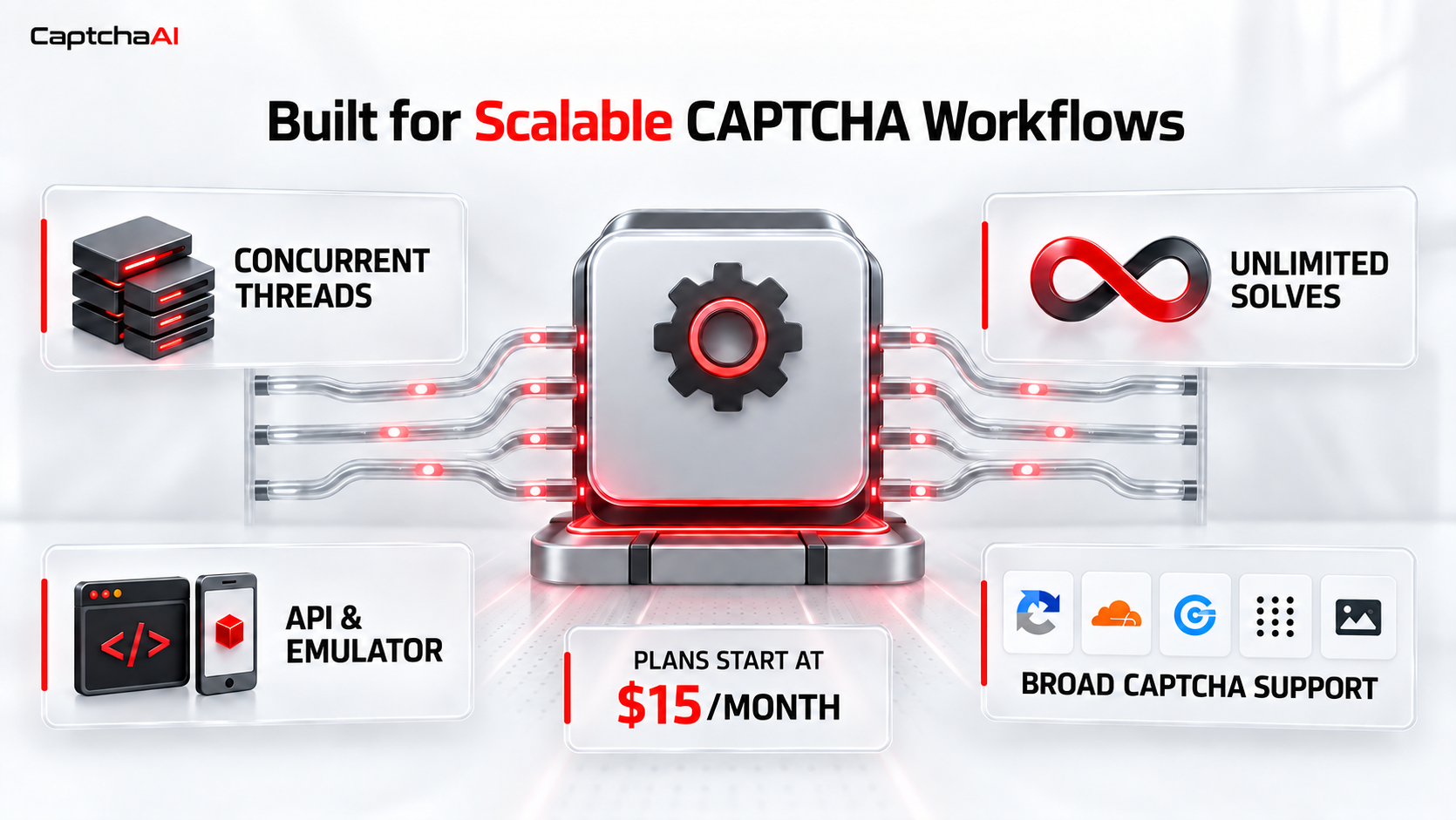
CaptchaAI uses a concurrent thread model instead of charging for each individual solve. Every plan includes unlimited solves within the active thread capacity.
A thread represents one CAPTCHA task being processed at a time. Teams can select a plan based on their peak concurrency and add more capacity as their workflow grows.
Key CaptchaAI features include:
-
Unlimited solves within the selected thread capacity
-
Plans starting with 5 concurrent threads
-
Direct API access
-
2Captcha-compatible Emulator
-
Chrome extension
-
Support for proxies in applicable CAPTCHA workflows
-
Compatibility with popular development and automation tools
-
Plans for smaller projects and high-concurrency workloads
-
Integration guides and technical support
This structure makes usage easier to predict for teams that process CAPTCHA challenges regularly.
Common Configuration Mistakes
Even a strong proxy and CAPTCHA solver combination can fail if the surrounding workflow is configured incorrectly. Common mistakes include:
Rotating the Proxy Too Early
Do not change the proxy between loading the challenge and applying the returned response.
Using Incomplete CAPTCHA Parameters
Different CAPTCHA types require different information. A site key and page URL may be enough for one task, while another may also require an action, User-Agent, cookies, proxy, or additional challenge data.
Ignoring the Browser Session
The returned response should be applied to the same relevant page and session. Opening a new browser or discarding cookies can invalidate the workflow.
Exceeding the Available Thread Capacity
Applications should remain within the active CaptchaAI thread capacity. Requests exceeding the available concurrency may be rejected until a thread becomes available.
Retrying Without Diagnosing the Error
Repeatedly resubmitting the same failed task can waste time and traffic. Log the error, identify whether it comes from the proxy, session, parameters, or CAPTCHA response, and retry only after correcting the cause.
Best Practices for a More Reliable Setup
-
Choose a proxy type that matches the project rather than defaulting to one option.
-
Keep the proxy IP and session consistent throughout the CAPTCHA lifecycle.
-
Send every parameter required for the specific CAPTCHA type.
-
Use reasonable request rates and concurrency limits.
-
Log proxy errors and CAPTCHA errors separately.
-
Test the workflow on a small scale before increasing volume.
-
Follow the target website's terms and all applicable regulations.
-
Use automation only in environments you own, are authorized to test, or are contractually permitted to access.
Exclusive 15% CaptchaAI Discount for Dexodata Users

Dexodata users can get 15% off CaptchaAI plans through this exclusive partner offer.
Combine Dexodata proxies with CaptchaAI to create a more complete workflow for authorized web data collection, automation, and testing – while saving 15% on your CaptchaAI plan.
Claim Your 15% CaptchaAI Discount
New users can also test CaptchaAI free for 3 days with 5 concurrent CAPTCHA threads, unlimited solves within the available thread capacity, and access to the CaptchaAI engine before selecting a paid plan.
Final Thoughts
Proxies and CAPTCHA solvers are most effective when each tool is assigned the job it was designed to perform.
Dexodata provides the proxy layer needed to manage IP routing, network type, location, and sessions. CaptchaAI provides the CAPTCHA-solving layer needed to handle supported verification challenges.
Combining both services with consistent sessions, correct parameters, controlled concurrency, and responsible request practices can create a more reliable foundation for authorized web data collection and testing.


