
Incogniton Review 2026: Is This Anti-Detect Browser Worth It for Multi-Accounting?

Anti-detect browsers have become the go-to tool for anyone running multi-accounting seriously, whether that's social media management, e-commerce, affiliate marketing, or ad verification. A normal browser paired with a proxy isn't enough on its own, since platforms like Facebook, Amazon, and TikTok track far more than IP addresses to link accounts together.
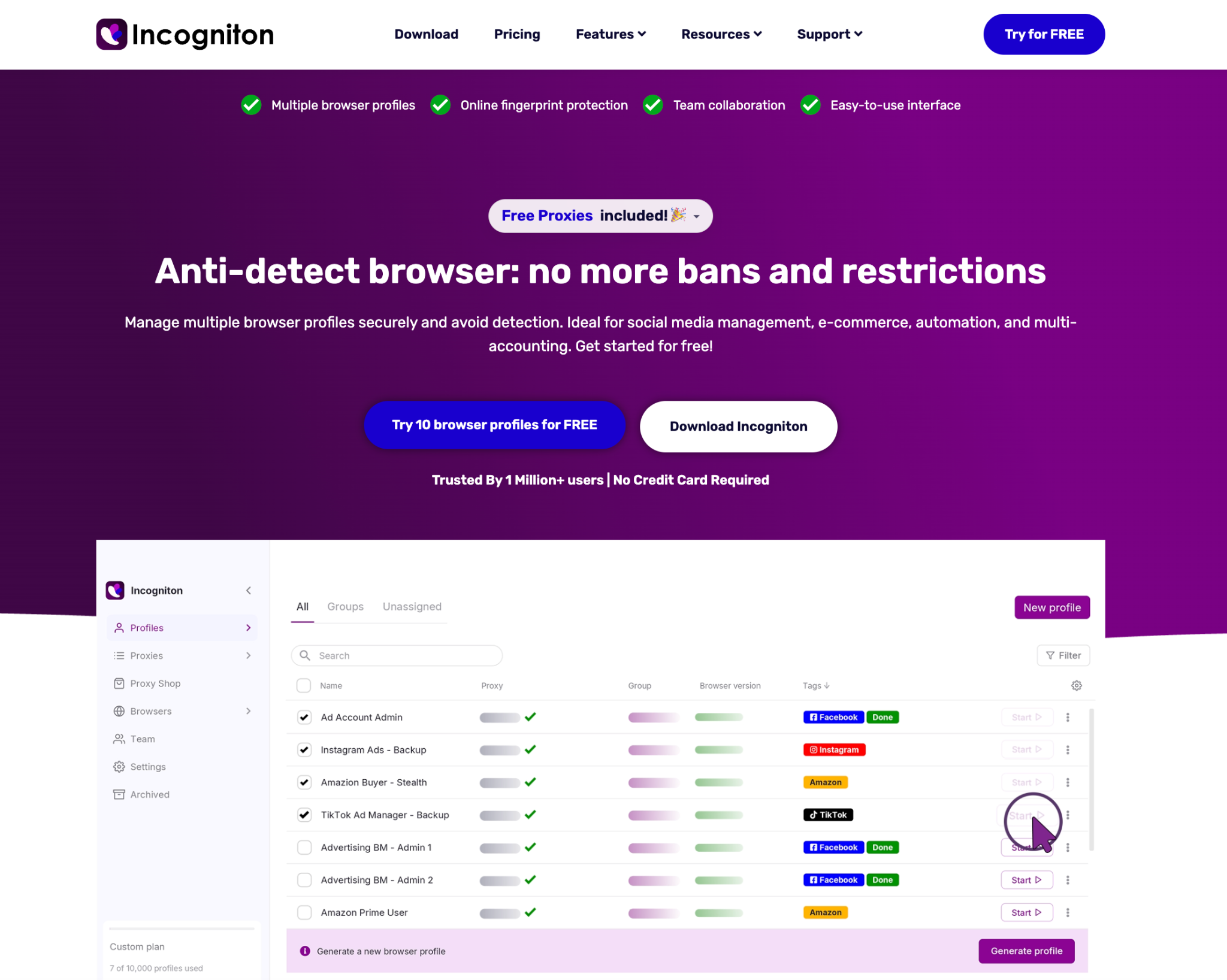
There are plenty of options on the market at this point, each with its own strengths and trade-offs, so today we're reviewing one of the more established names in the space: Incogniton.
This review looks at what it actually offers in 2026, where it holds up, where it doesn't, and how it fits into a workflow built around proxies.
What Incogniton Does
Incogniton is one of the longer-running tools in the anti-detect browser category. Built on Chromium and first released in 2020, it's aimed at solo operators and small teams who need to run parallel accounts across social platforms, marketplaces, and ad networks without tripping detection systems.
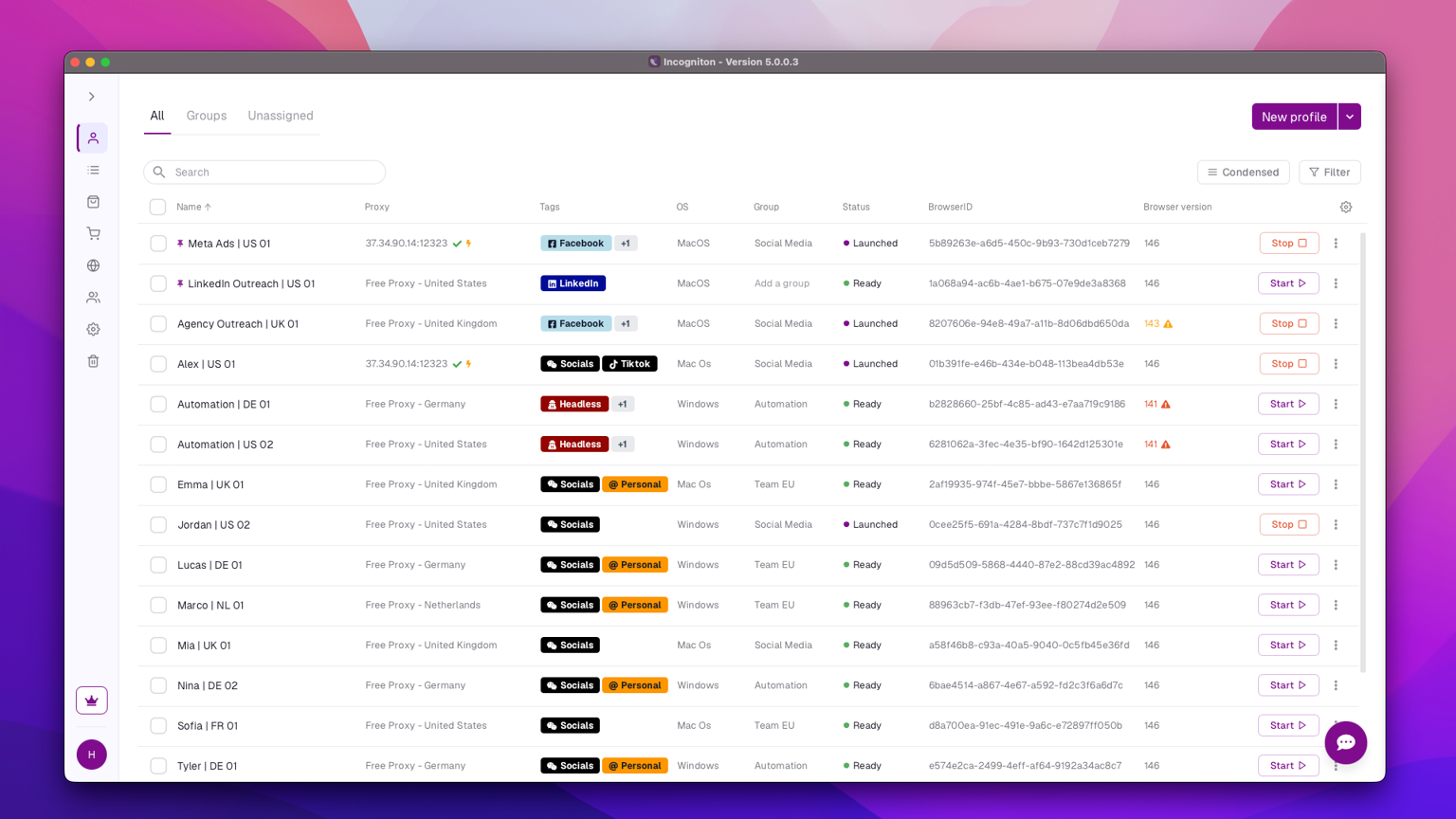
At its core, Incogniton lets you spin up browser profiles, each with a distinct fingerprint covering user-agent, canvas, WebGL, fonts, screen parameters, geolocation, and timezone. Cookies and local storage stay separate per profile, so nothing bleeds between accounts.
It comes packed with a few features that stand out beyond the basics of true browser profile isolation, fingerprint spoofing, and customisation. Here are some of them:
-
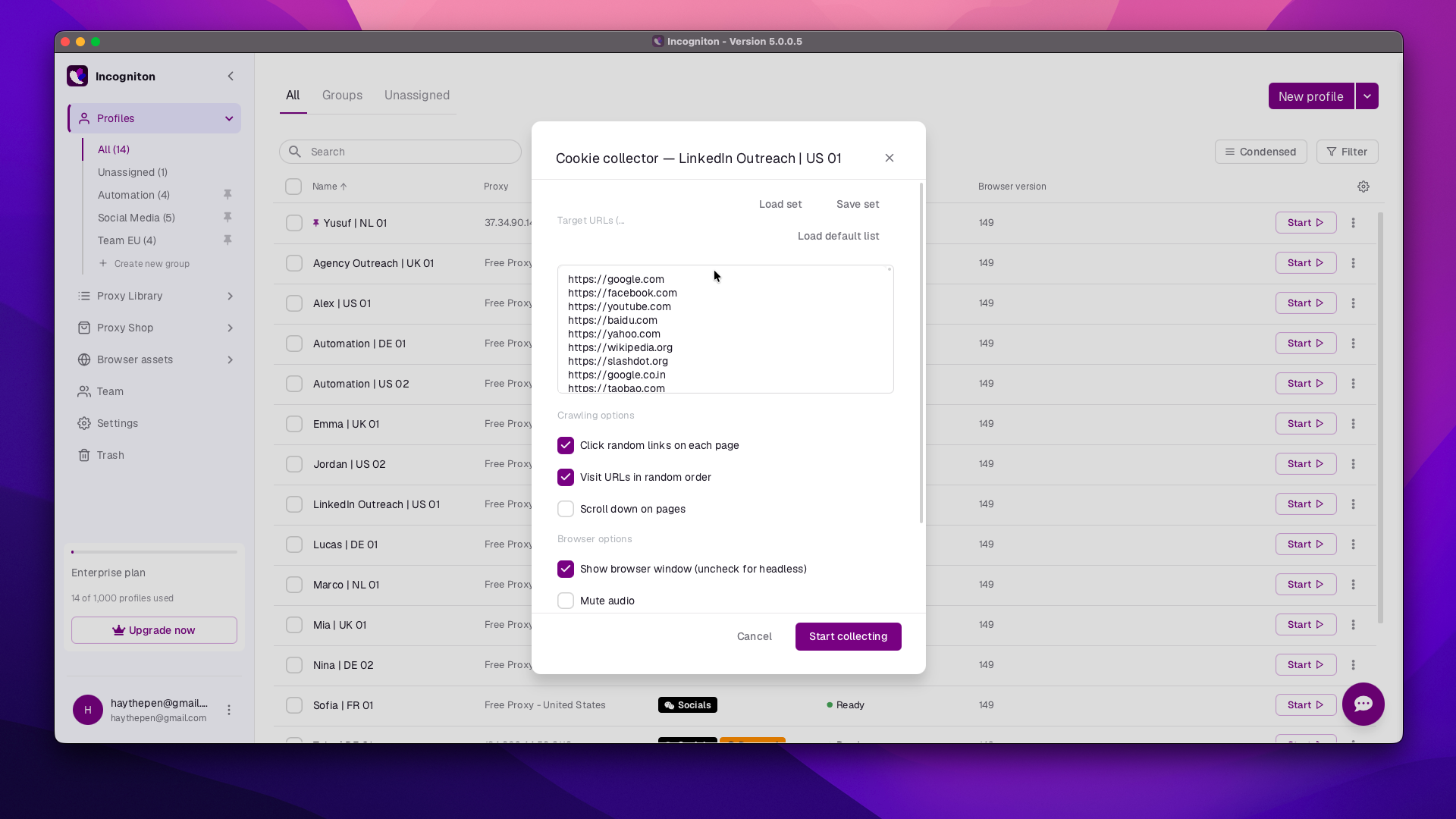
Cookie Collector, which allows you to build an organic-looking browsing history into a fresh profile automatically. This helps new accounts avoid looking suspicious to platform algorithms.
-
Synchronizer: This feature allows you to mirror an action in one profile (a login, a form fill, a navigation sequence) across multiple profiles and tabs at once, thus reducing repetitive manual work.
-
Selenium and Puppeteer support, plus a REST API. This opens the door to scripted automation for users comfortable writing code.
-
Team management features, including assigning member roles and permissions, are especially useful once more than one person needs to operate the same set of profiles.
-
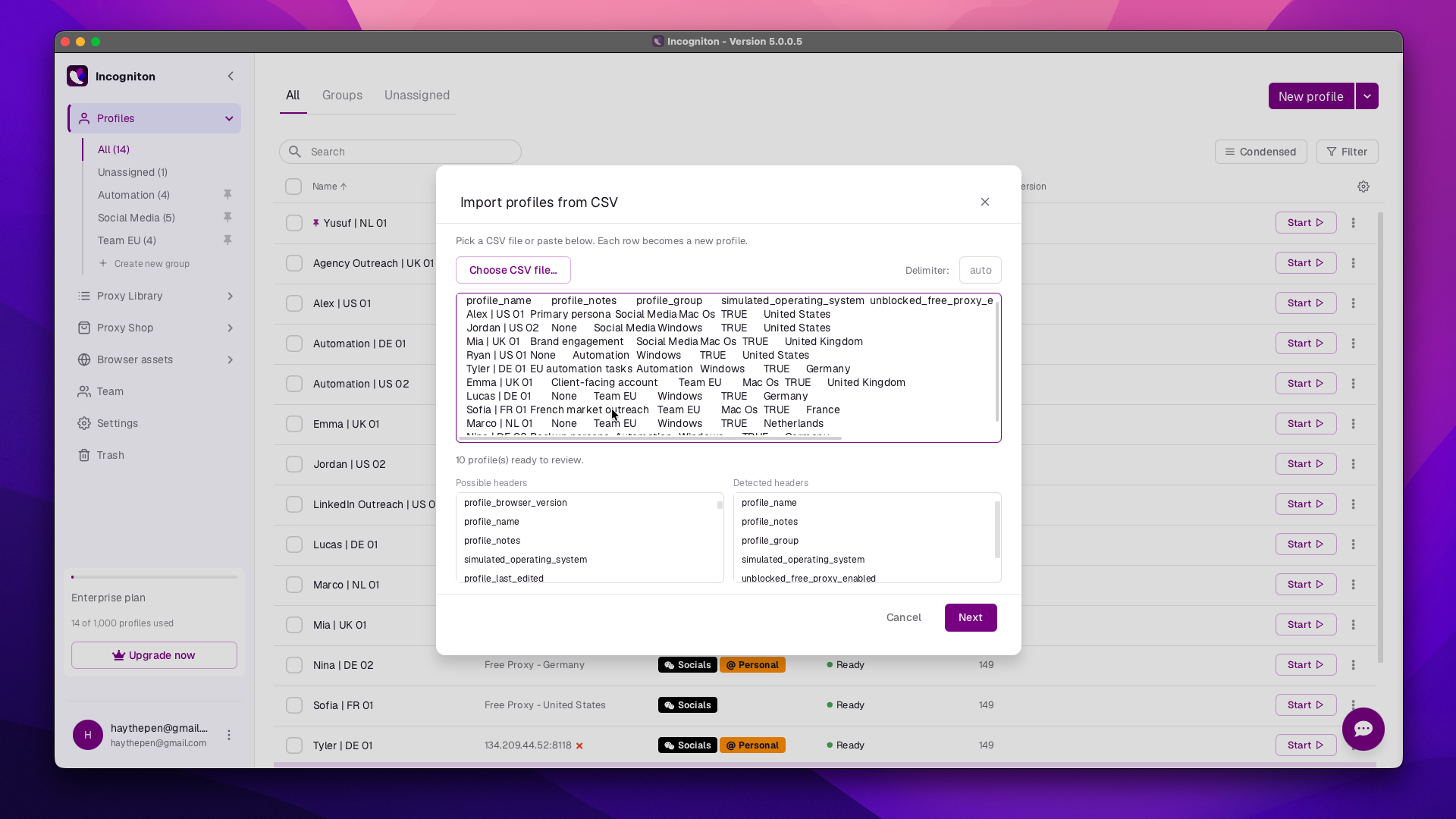
Bulk profile creation via CSV import handles large-scale setups without clicking through each profile individually.
-
A built-in Proxy Shop that lets you buy residential, datacenter, ISP, or mobile proxies without leaving the browser, plus a free unblocked proxy option for lighter, non-critical tasks. External proxies can still be imported if you'd rather source your own.
The interface itself has also been through a major overhaul recently: a redesigned UI, guided onboarding, CSV profile import/export, and an automation API with MCP support all landed in the latest update, alongside the Proxy Shop itself.
Pricing
Incogniton's free Starter plan gives 10 profiles, but only for the first two months. After that, it drops to 3 profiles permanently unless you upgrade. Paid tiers scale from there:
-
Starter Plus – around $19.99/month, 10 profiles, basic feature set
-
Entrepreneur – around $29.99/month, 50 profiles, unlocks Cookie Collector, Synchronizer, and automation
-
Professional – around $79.99/month, 150 profiles, 3 team seats
-
Custom – from around $149.99/month, 500+ profiles, scalable team seats for agencies
Paying six months or a year upfront brings a 30 to 40 per cent discount. Entrepreneur is the plan most reviewers land on as the practical starting point, since it's the first tier where automation and cookie tools actually unlock.
Where It Holds Up
Incogniton's biggest strength is accessibility, and how directly that translates into efficiency and effectiveness for its users. Profile creation doesn't demand fingerprinting expertise up front, and the fingerprint settings can be auto-generated or fine-tuned by hand, so beginners aren't blocked by complexity while technical users aren't limited by oversimplification.
That flexibility extends to the parameters themselves: user-agent, canvas, WebGL, fonts, screen resolution, timezone, geolocation, and audio context are all editable per profile, covering the settings that actually matter for staying undetected.
The automation tools follow the same pattern, and it's where accessibility really pays off in efficiency. Having both no-code and code-based options on hand means non-developer users aren't forced into a code editor just to automate something simple, while anyone who wants deeper, scripted control still has a real path to build on.
Cookie management holds up just as well. Beyond the Cookie Collector, you can import, edit, export, and convert cookies between different file types, all while keeping cookies strictly isolated per profile, so nothing leaks between accounts even when profiles share the same proxy pool.
The pricing reinforces the same accessibility angle, since it's genuinely competitive against Multilogin or AdsPower at the lower profile counts. For workflows centered on social media management, e-commerce storefronts, affiliate tracking, or scraping, all of this adds up to a feature set that lowers the barrier to entry without cutting corners on what serious multi-accounting actually requires.
Where It Falls Short
A few limitations are worth knowing about:
-
No mobile app. Profile management runs through the desktop client on Windows or macOS only, which limits remote access for teams that need to check or launch profiles from a phone.
The Proxy Gap
That last limitation is worth sitting with, because it's the one place where the browser alone can't do the job. Fingerprint isolation stops websites from linking accounts based on device signals, but if every profile connects through the same IP, or through a cheap, reused, or flagged proxy, that isolation collapses at the network layer. Platforms correlate IPs just as aggressively as they correlate fingerprints.
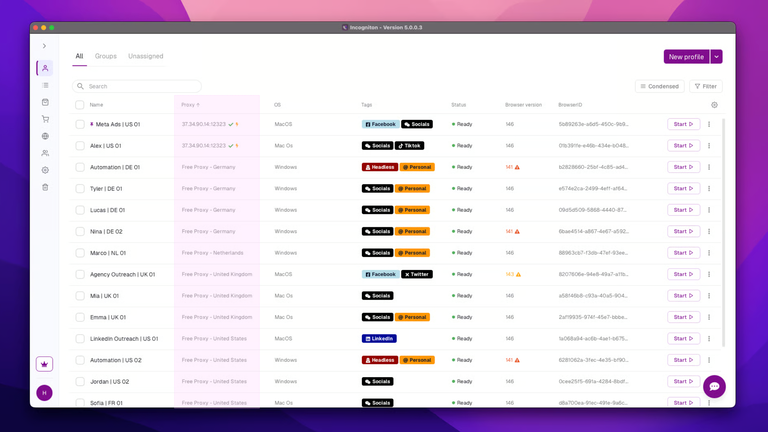
This is where pairing Incogniton with genuine residential and mobile IPs matters more than the browser's own feature list. Dexodata's dynamic residential and mobile IPs (datacenter is available too) route each profile through a real consumer network instead of a footprint that links your accounts, with rotation you control by time, by link or on each request, which is the combination that anti-detect workflows actually depend on. A profile with a spoofed fingerprint and a low-quality or flagged IP is still one correlation away from getting flagged.
Final Verdict
Incogniton is a solid, budget-friendly anti-detect browser for solo operators and small teams running multi-account workflows on social platforms, marketplaces, or scraping projects. It's not the most polished tool in the category, and the free plan's two-month countdown to 3 profiles catches people off guard, but the core fingerprinting and automation tools are dependable enough for serious use once you're on the Entrepreneur tier or above.
The browser handles half the isolation problem. The other half is the network layer underneath it, which is where a reliable proxy provider becomes part of the setup rather than an afterthought. Get started with Incogniton and Dexodata today and see the difference for yourself.


